Run your clinic,
not your paperwork.
Appointments, patient records, treatment plans, tax invoicing and WhatsApp reminders in one calm workspace. Choose your clinic type — physiotherapy, dental, skin and hair, or general practice — and ClinicOS speaks your clinic’s language.
- Phone, tablet and desktop
- Keeps working when the internet drops
- Your data stays yours
- Your clinic typePhysiotherapy, dental, skin and hair, or general practice
- Global billingYour currency and tax rates, with Stripe, PayPal, Razorpay or manual payments
- Fewer no-showsReminders before each visit and a follow-up after a miss
- Offline-readyOpened screens keep working when the internet is down
- Your languageEdit every patient message in your own words
- Many branchesOne account, each branch with its own team and numbers
Everything a clinic does in a day.
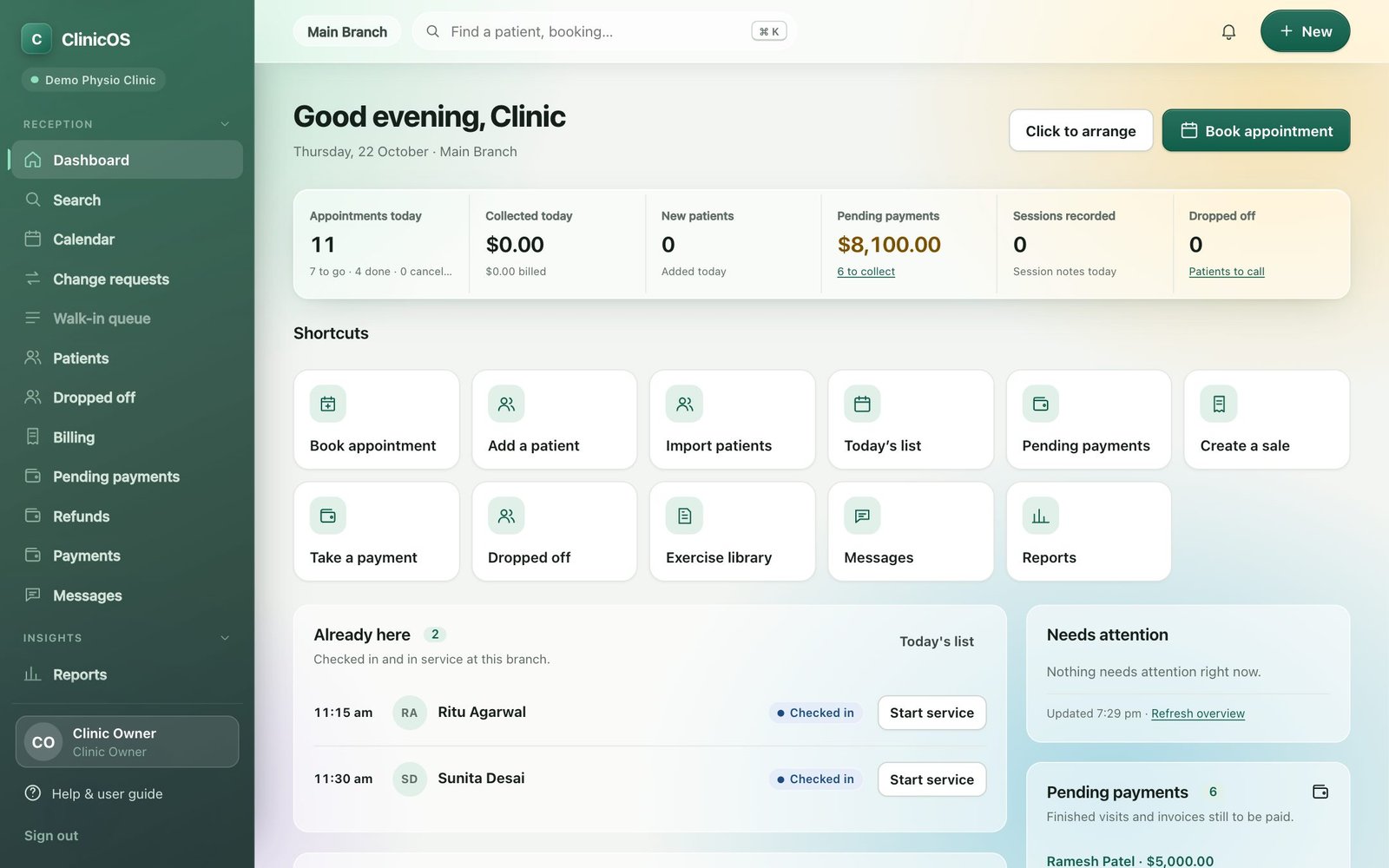
These are real screens from ClinicOS, with sample patients.
Everything about today, the moment you sign in.
The dashboard shows today’s appointments, who is waiting, what has been collected and what is still pending. Every person can arrange their own shortcut tiles and panels.
- Appointments, collections, new patients and dropped-off patients at a glance
- Check patients in and start a service in one tap
- Pending payments and patients to call back, always in view
- Drag to arrange your own shortcuts; only pages your role can open are offered
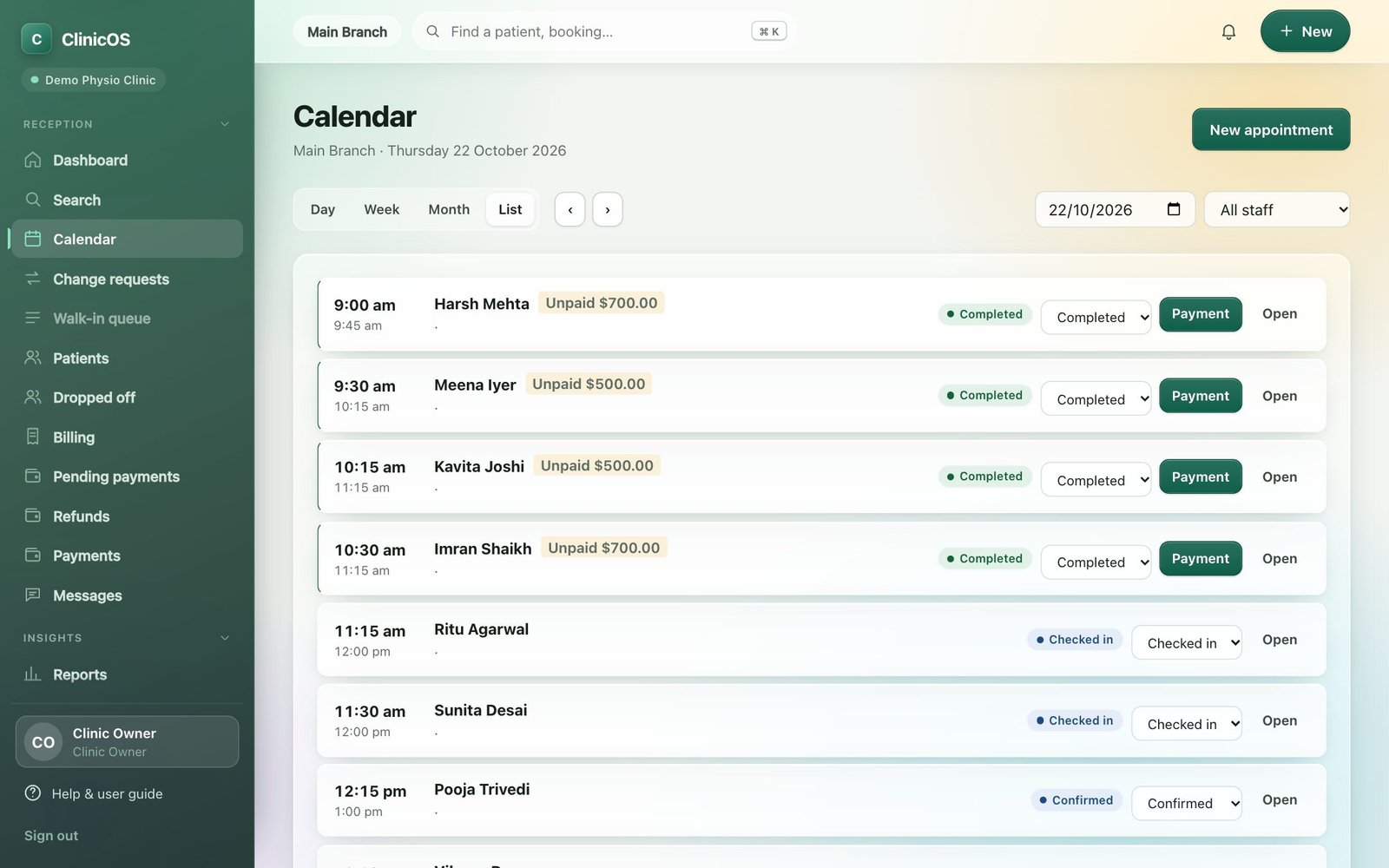
A calendar that knows your therapists, beds and machines.
Day, week, month and list views. Book a single visit or a whole series (Mon, Wed, Fri for four weeks) with one confirmation. ClinicOS stops two patients being booked on the same therapist, bed or machine.
- Series booking: if any day clashes, nothing is booked and you see which days
- Beds, machines and rooms as bookable resources; home visits with the patient’s address
- Change the status from the list: confirmed, checked in, in service, completed
- Patients can book online and ask for changes you approve
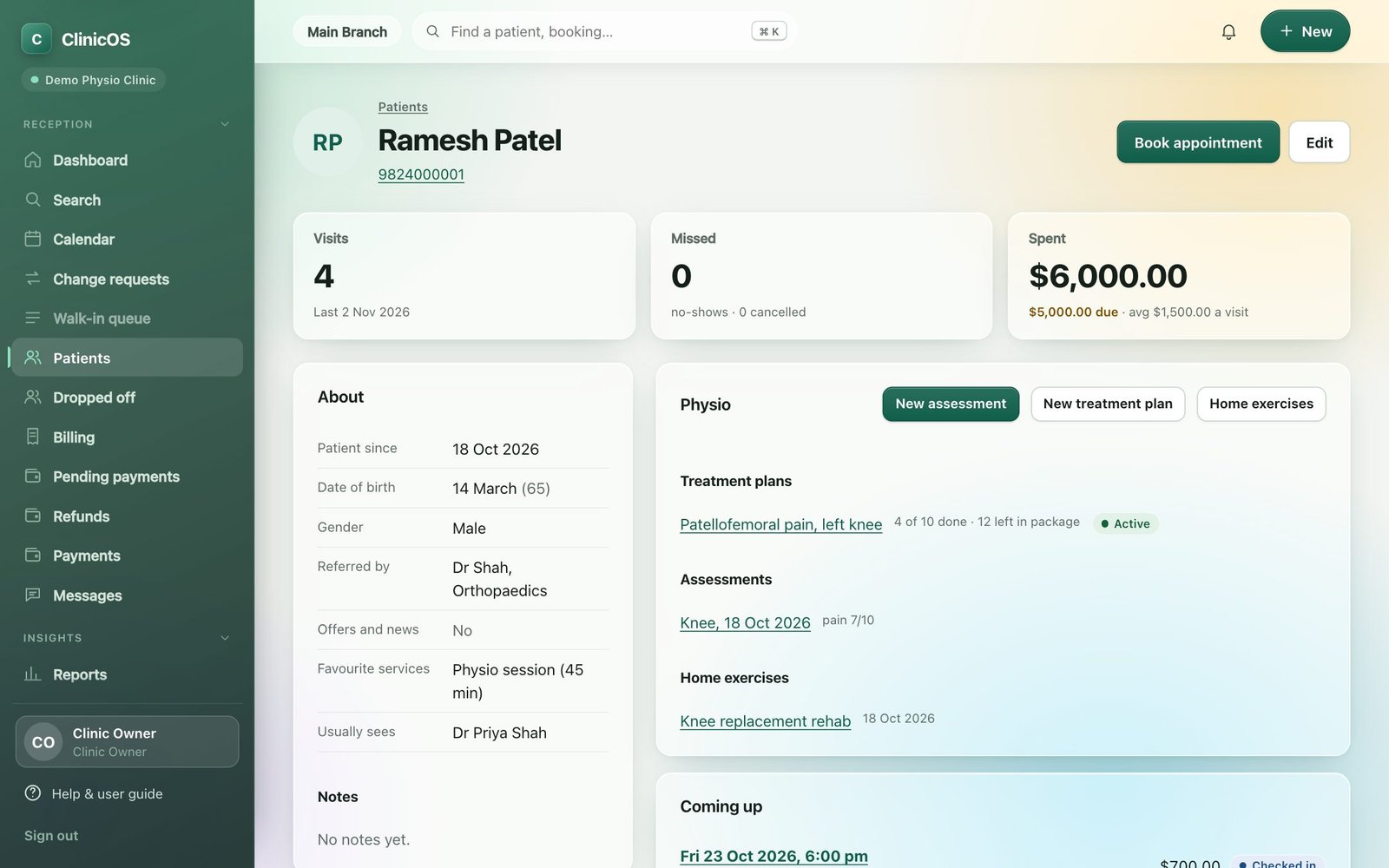
One page for the whole patient.
Visits, missed appointments, spend, referrer, treatment plans, assessments and home exercises are all on the patient’s page, along with your own custom fields.
- Referred by, date of birth, health ID, tags and notes
- Add your own questions (occupation, blood group, insurance number…)
- Import your existing patient list from Excel or CSV, with a preview first
- Marketing consent is recorded; automatic messages can be switched off per patient
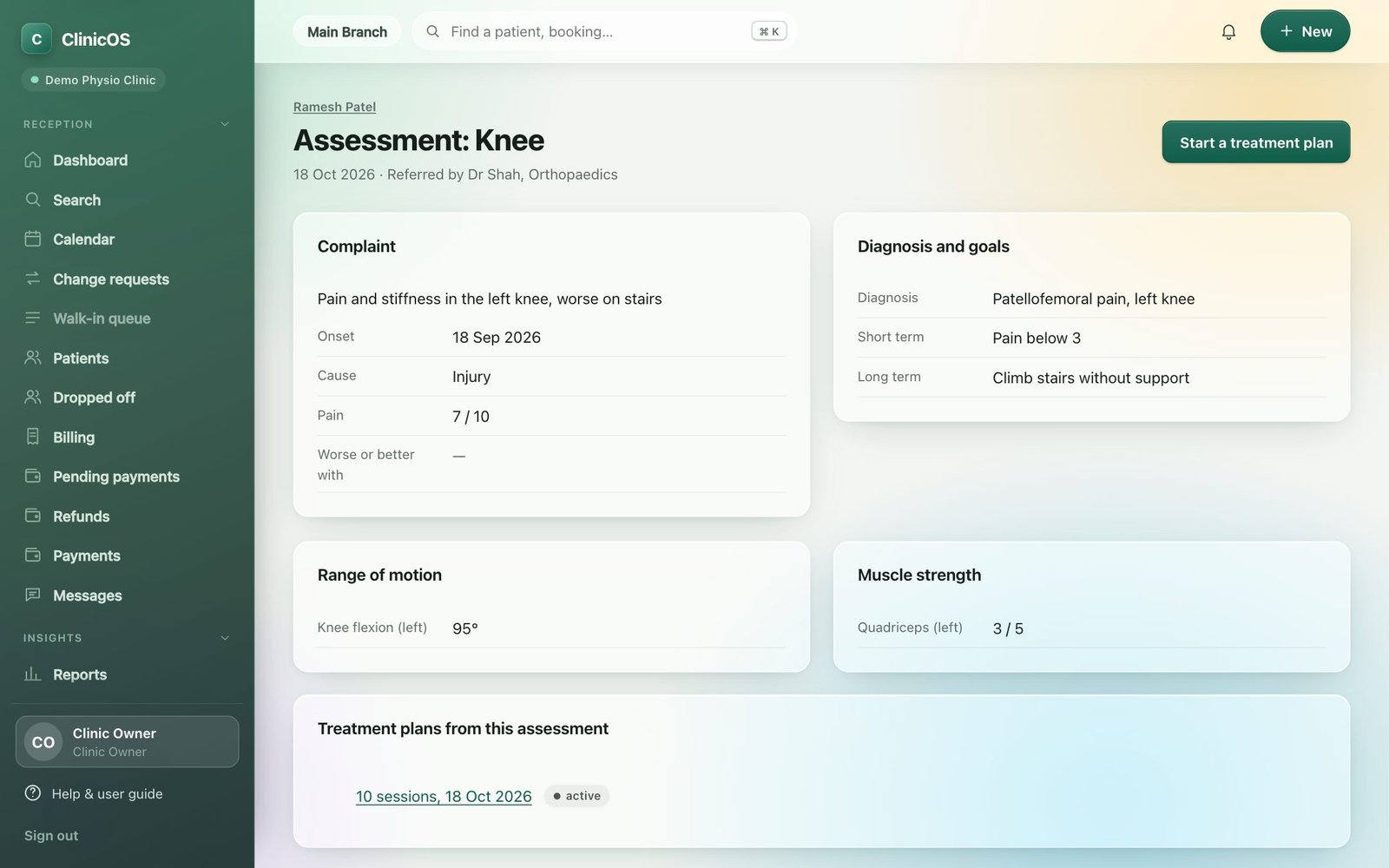
Assess once. Everything that follows builds on it.
Record the complaint, onset, cause and pain, range of motion in degrees, muscle strength, special tests, red flags and the diagnosis with short and long-term goals.
- Red flags show a clear warning for the whole team
- Referring doctor recorded for reports
- Goals carry through to the treatment plan and progress report
- Start a treatment plan straight from the assessment
Plan the sessions. Record each in under a minute.
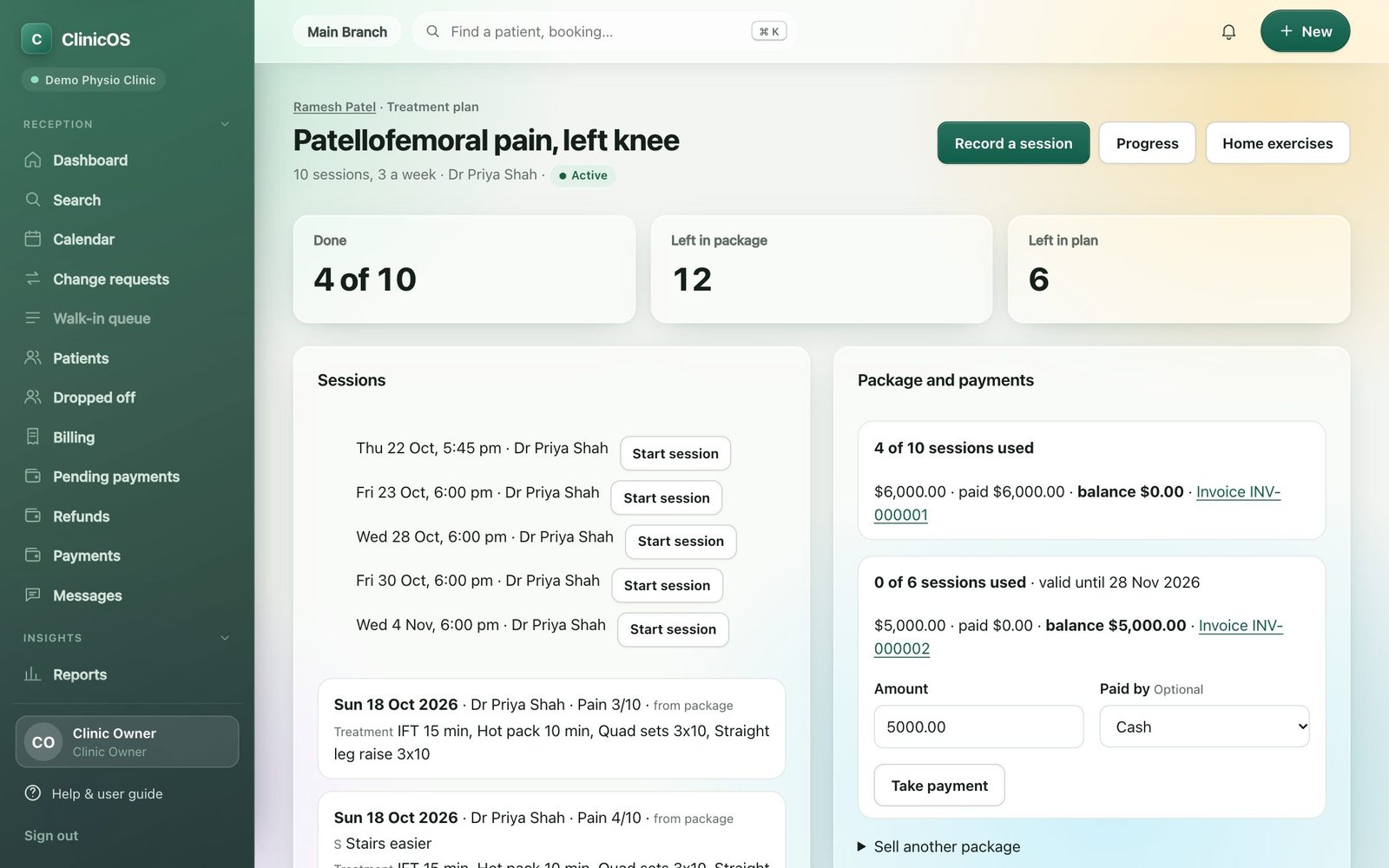
Set the number of sessions and the modalities, then press Start session on the appointment. The form repeats the last treatment; saving marks the appointment done and uses one session from the package.
- Sessions used, left in package and left in plan, always visible
- The front desk is told when two sessions are left
- Progress charts for pain and range of motion, a progress report PDF and a discharge summary
- Sell more packages from the same screen
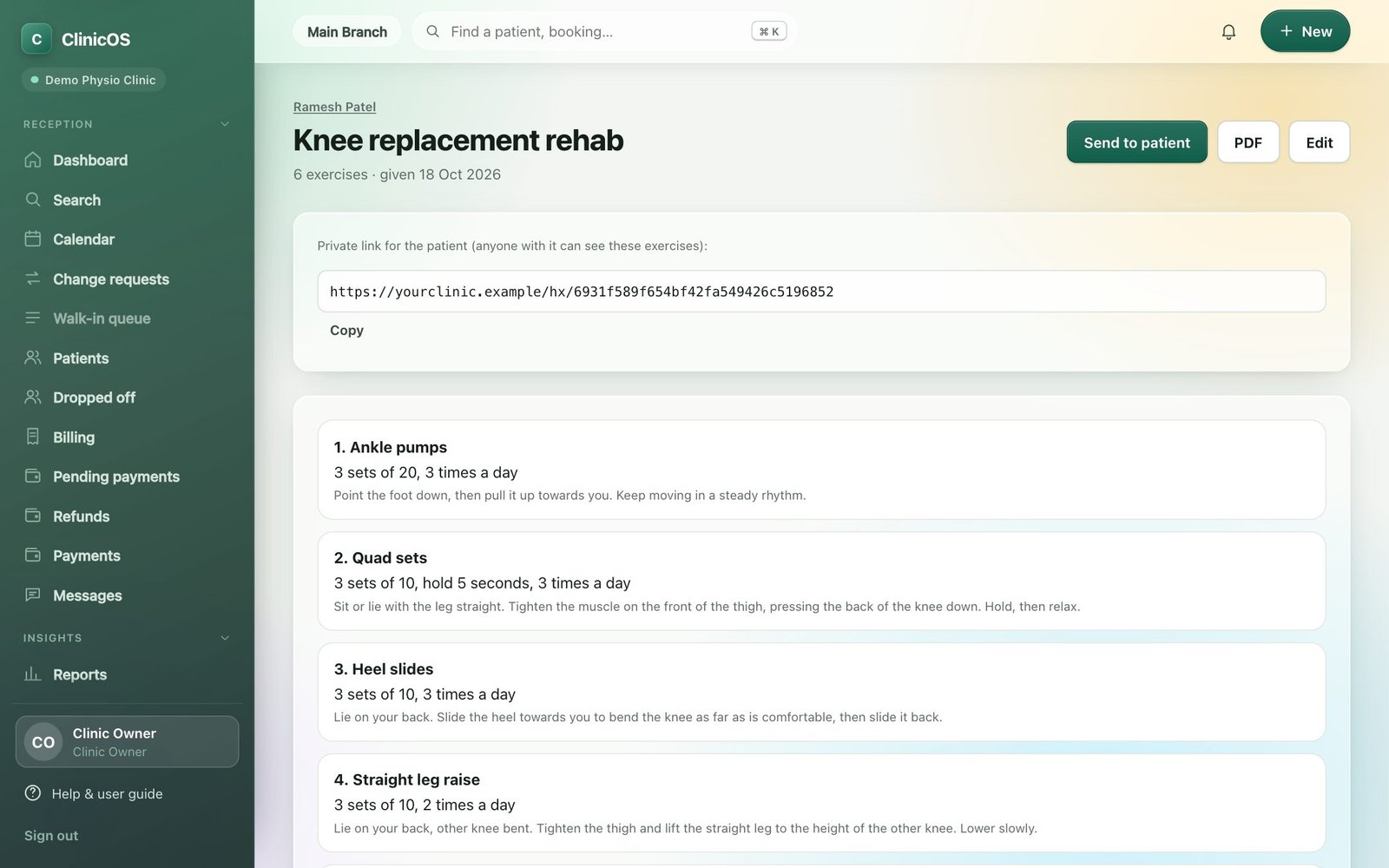
Send a program the patient can open on their phone.
Build a program from a library of 30 exercises and six condition templates (knee replacement, frozen shoulder, low back pain, cervical spondylosis, ACL, ankle sprain), or add your own.
- Send on WhatsApp as a private link, or print a PDF
- Sets, repetitions, holds and plain-language instructions
- Your own exercises and templates
- Patients don’t need an account to open their program
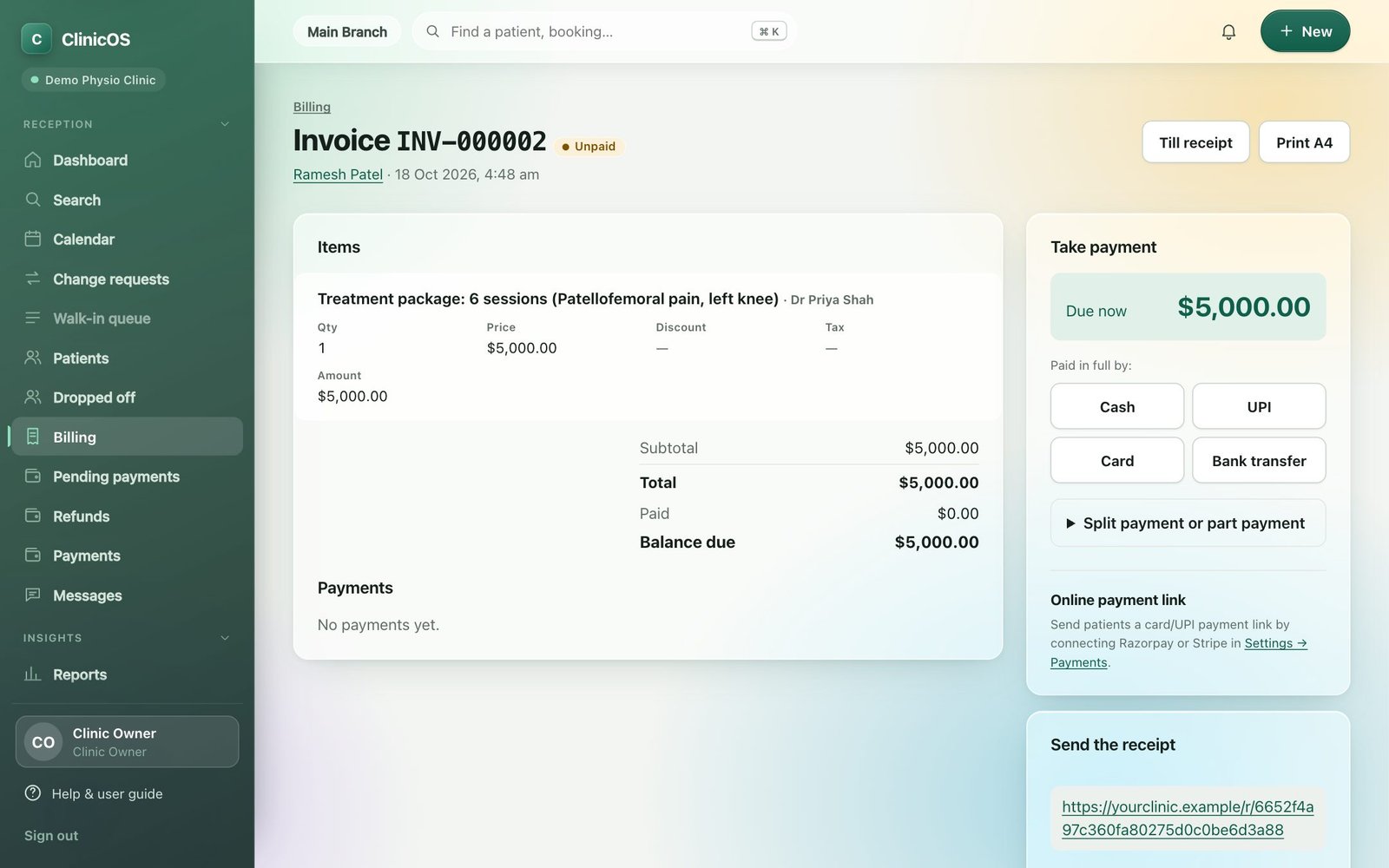
Tax invoices and payment after every visit, in your currency.
Invoices in your currency with your own tax rates (GST, VAT, sales tax), packages sold with an advance now and the balance later, discounts, refunds and credit notes. Take payment by cash, card, bank transfer or an online provider.
- Payment box right after a visit is completed: cash, card, bank transfer or UPI
- Split and part payments; short receipt links for WhatsApp
- Pending payments listed on the dashboard and on their own page
- Online payments with Stripe, PayPal or Razorpay, whichever your country uses, or manual-only mode
- UPI scan-to-pay QR on bills for clinics in India
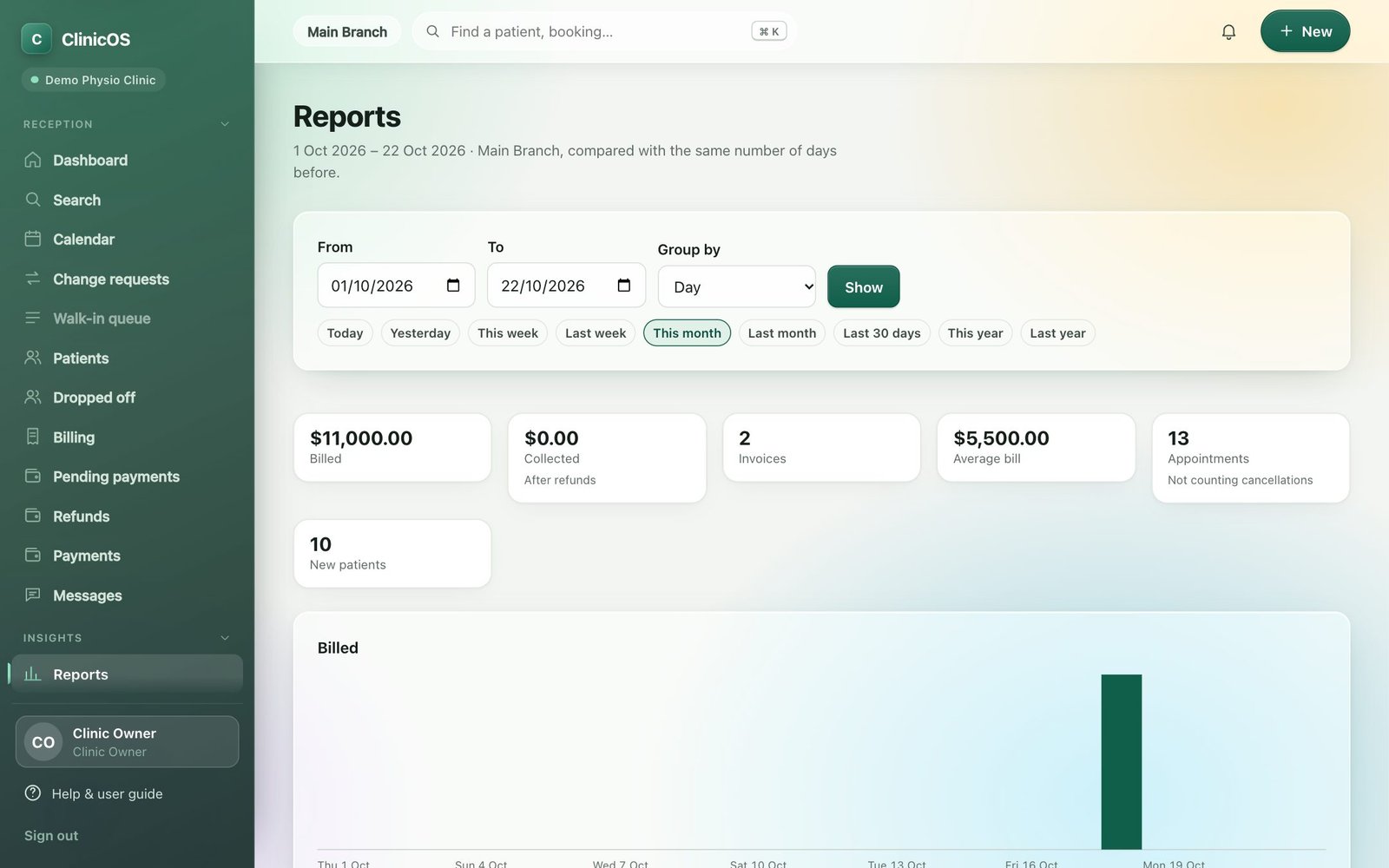
Know how the clinic is doing without a spreadsheet.
Billed and collected, invoices, average bill, appointments and new patients for any period, grouped by day, week or month, compared with the period before.
- Quick ranges: today, this week, this month, last 30 days, this year
- Sales, payments, items and appointments reports
- Export patients and invoices as CSV, or everything as a zip
- Therapist performance, commissions, expenses and stock
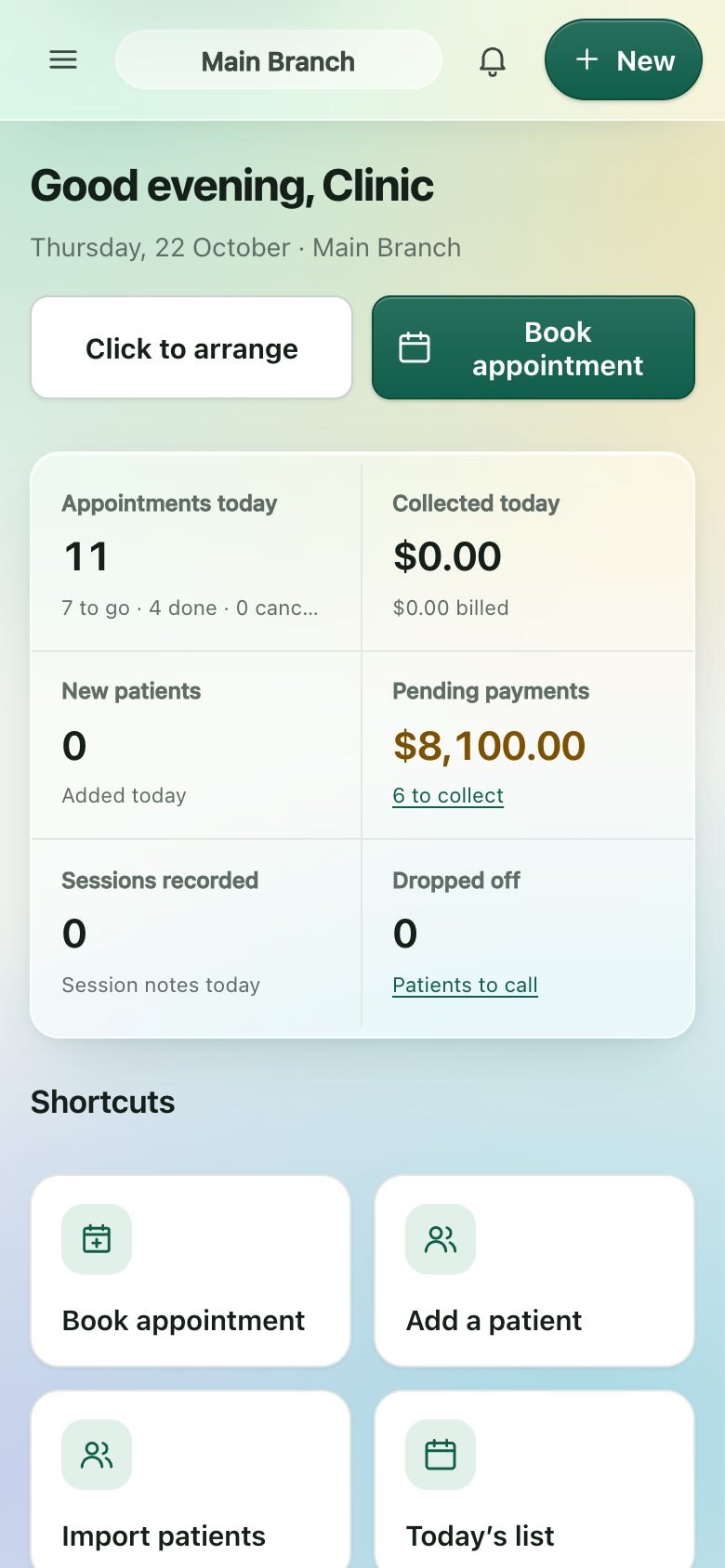
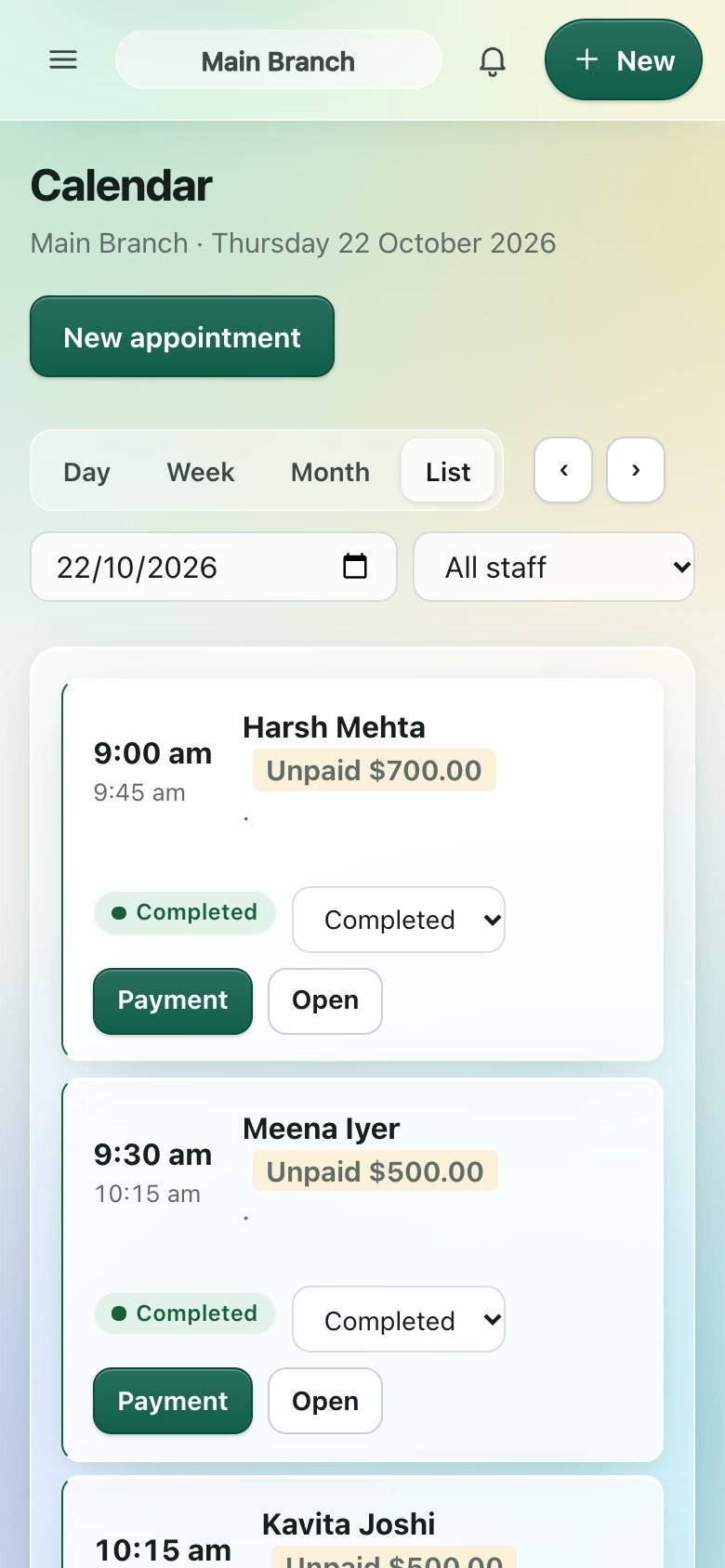
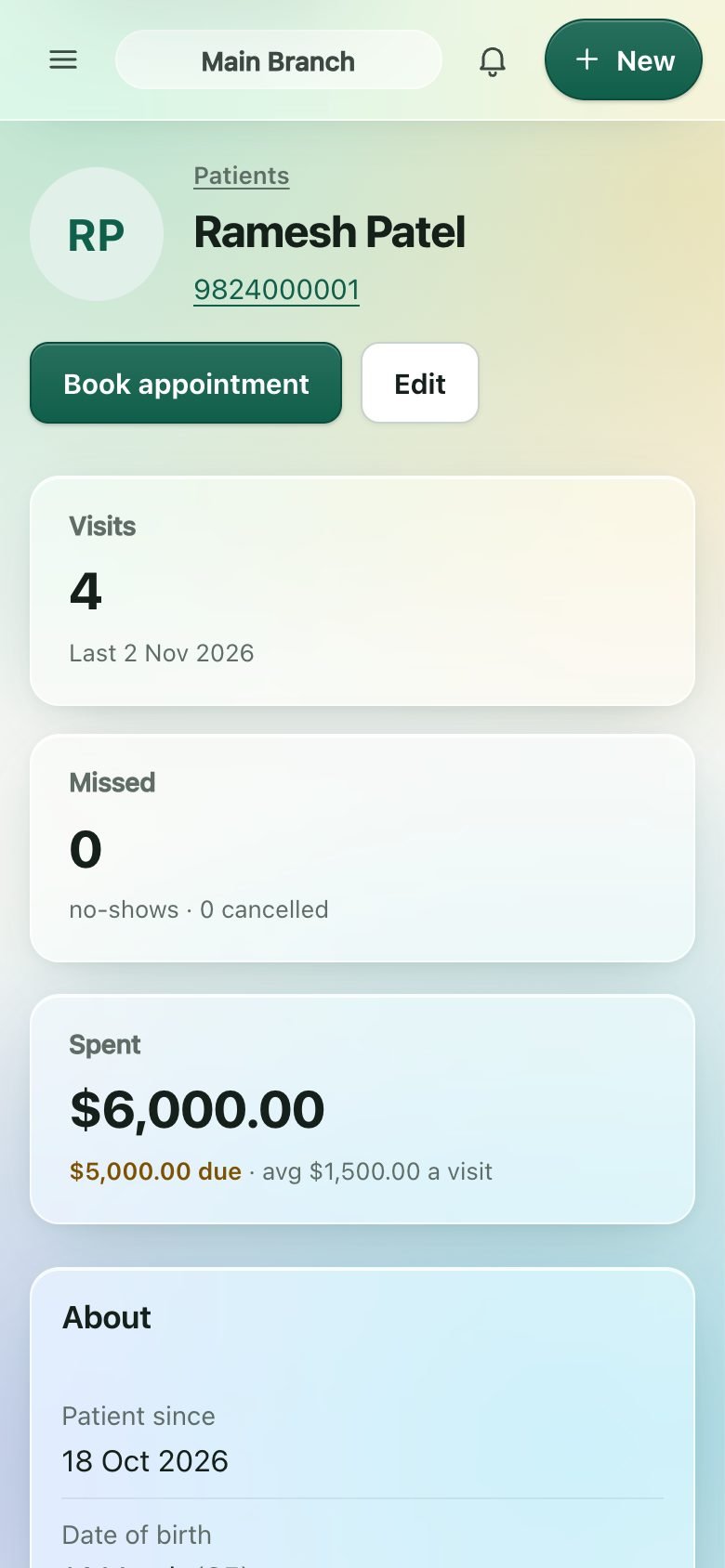
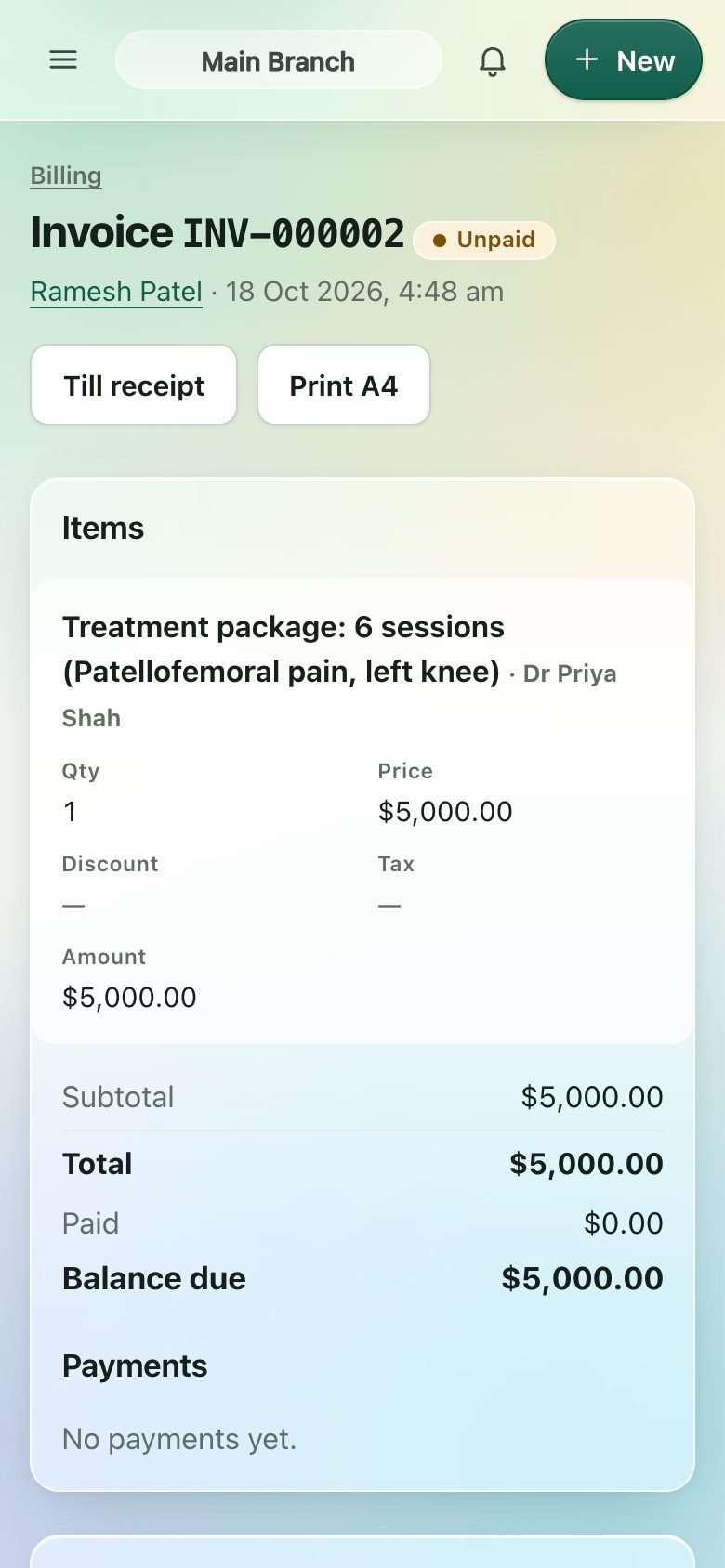
On the phone as comfortably as on the desk.
Reception, therapists and owners use the same ClinicOS on whatever they have in hand.
And the rest of what a clinic needs.
Up and running in an afternoon.
Create your clinic
Start a free trial or install on your own hosting.
Add your team
Therapists, beds and machines, services and prices, your branch hours.
Bring your patients
Import an Excel or CSV list; duplicates are skipped and you see a preview first.
Book the first day
Appointments, check-in, session notes and payment, all in one flow.
Choose your clinic type.
Every clinic gets appointments, patients, tax invoicing, reminders, reports and staff. Your clinic type sets the words ClinicOS uses and the tools that come on with your plan.
| Clinic type | Wording | Tools for this type |
|---|---|---|
| Physiotherapy | Sessions, therapists, treatment plans | Assessments, treatment plans, packages, session notes, home exercises, progress and discharge reports, beds and machines, home visits |
| Dental | Sittings, dentists | Treatment plans, packages, walk-in queue, all the core tools |
| Skin and hair | Sessions, doctors | Treatment plans, session packages, progress tracking, walk-in queue, all the core tools |
| General practice | Visits, doctors | Walk-in queue with tokens, all the core tools |
Physiotherapy has the deepest clinical tools today. Specialty tools for the other types, such as a dental tooth chart, prescriptions, lab orders, photos and consent forms, are on the way.
Two ways to run ClinicOS.
We run it. You use it.
Sign up, start a free trial and open your clinic in minutes. Servers, updates and backups are looked after.
- No installation
- Your own address under app.myhumannetwork.com
- Monthly or yearly
Your server. Your data.
Buy a license (yearly, or once for life) and install on ordinary PHP and MySQL hosting. Update in one click, with a backup first.
- Runs on shared hosting, no special software
- You hold the data and the backups
- Installation service available
Hosting and third-party services such as WhatsApp or SMS providers are paid separately.
Common questions
Which kinds of clinic is it for?
Physiotherapy, dental, skin and hair, and general practice. You pick your clinic type when you set up, and ClinicOS uses the right words (sessions or sittings, therapists or dentists). Physiotherapy has the deepest clinical tools today; specialty tools for the other types are being added.
Can my patients book online?
Yes. ClinicOS has an online booking page and a patient sign-in where they see their visits and bills. You choose whether booking asks for payment or your team records payments by hand.
How do payments work?
After each visit you mark it paid by cash, card, bank transfer or UPI, or split the payment. For online payments connect Stripe, PayPal or Razorpay, or stay on manual payments only. Clinics in India also get a UPI QR on bills for what is still due. Invoices use your own currency and tax rates.
What happens if I stop paying?
You get a grace week with everything working, then ClinicOS becomes read-only. You can still look things up and export, and renewing brings everything back. Your data is never deleted.
Can I move my existing patient list?
Yes. Import a CSV or Excel file; you see exactly what will be added before anything is saved, and duplicate phone numbers are skipped.
Does it send WhatsApp messages by itself?
Reminders and follow-ups go through the messaging provider you connect. Provider charges are separate.
Is my patients’ data safe?
Each clinic’s data is kept separate and every important change is recorded in an audit trail. With your own hosting the data stays on your server; with hosted ClinicOS we look after backups. See our privacy policy.
Does it work if the internet goes down?
Screens you have already opened still open, and what you save offline (a payment, a note) is kept on the device and sent automatically when the connection is back.
See it with your own clinic’s day in mind.
Start a free trial, or write to us and we’ll help you choose.