SalonOS
Menu

Salon management software that runs on your own hosting

Grow your salon.
Get your time back.

Beautiful service deserves a better system. Bring bookings, clients, payments and your team into one connected workspace, and make more room for the business you’re building.

  • Your hosting
  • Your data
  • Pay yearly or once, for life
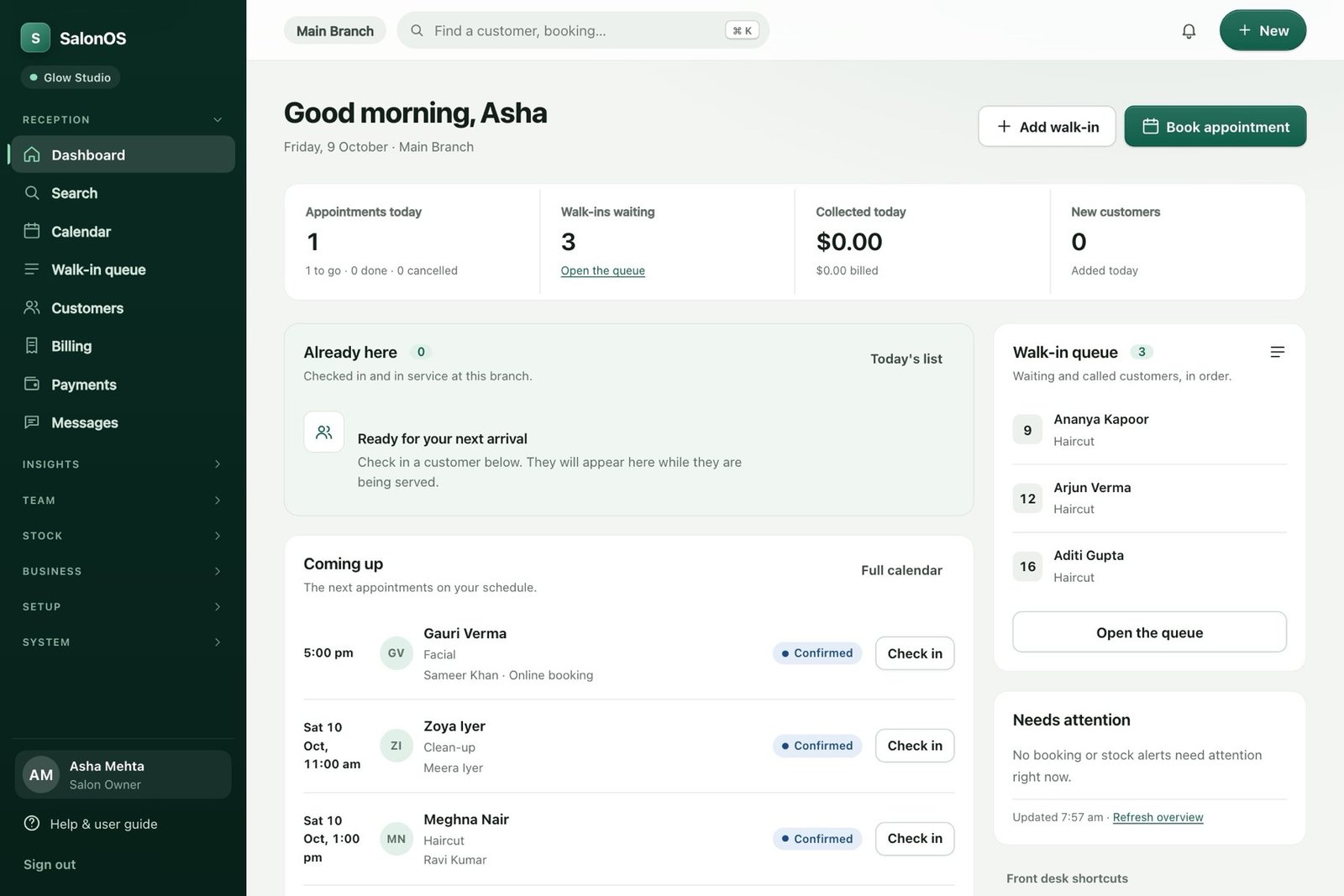
The SalonOS reception dashboard: appointments today, walk-ins waiting, collected today and the next arrivals, shown with sample data.
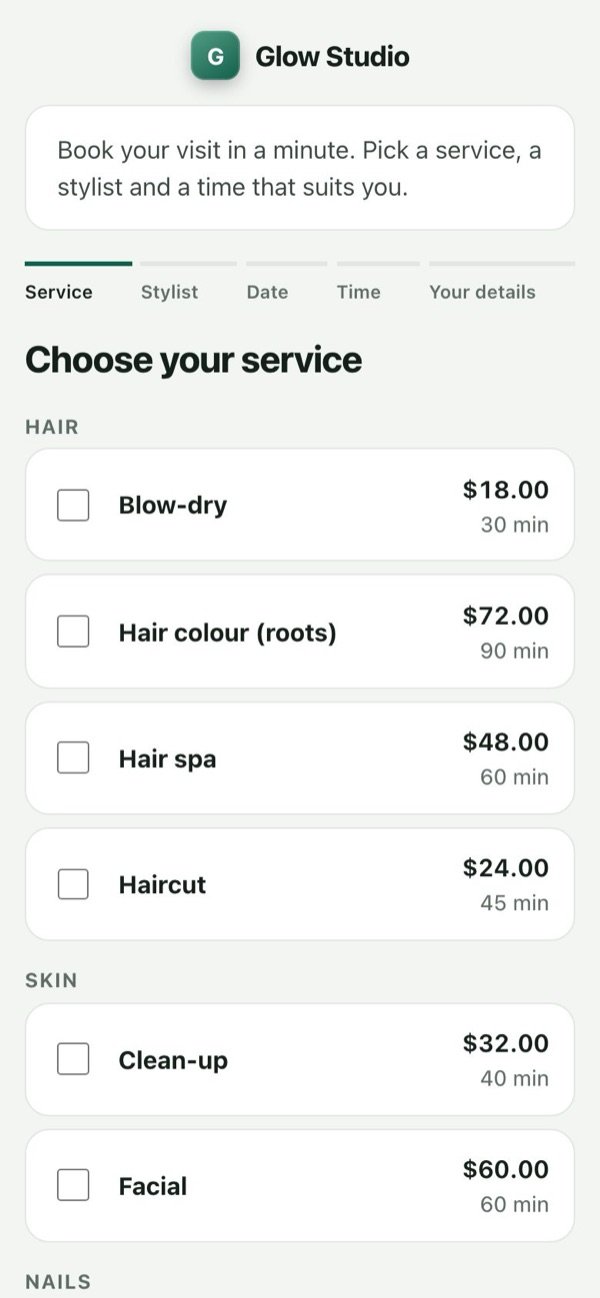
The online booking page on a phone, listing services with prices and durations (sample salon).
Neha’s facialTomorrow · 11:00 am
Confirmed
Billed this month (sample)$0
Reminder sent by WhatsApp

Actual SalonOS screens, shown with sample data.

Works with Stripe, Razorpay, PayPal, WhatsApp, email, SMS, ordinary cPanel hosting, MySQL, Excel and CSV, and installs as an app on phones.

See the real thing.
Not a mock-up.

These are actual SalonOS screens, filled with sample salon data. Pick a screen and hover or tap the dots.

Try the guided demo

One diary for the whole team.

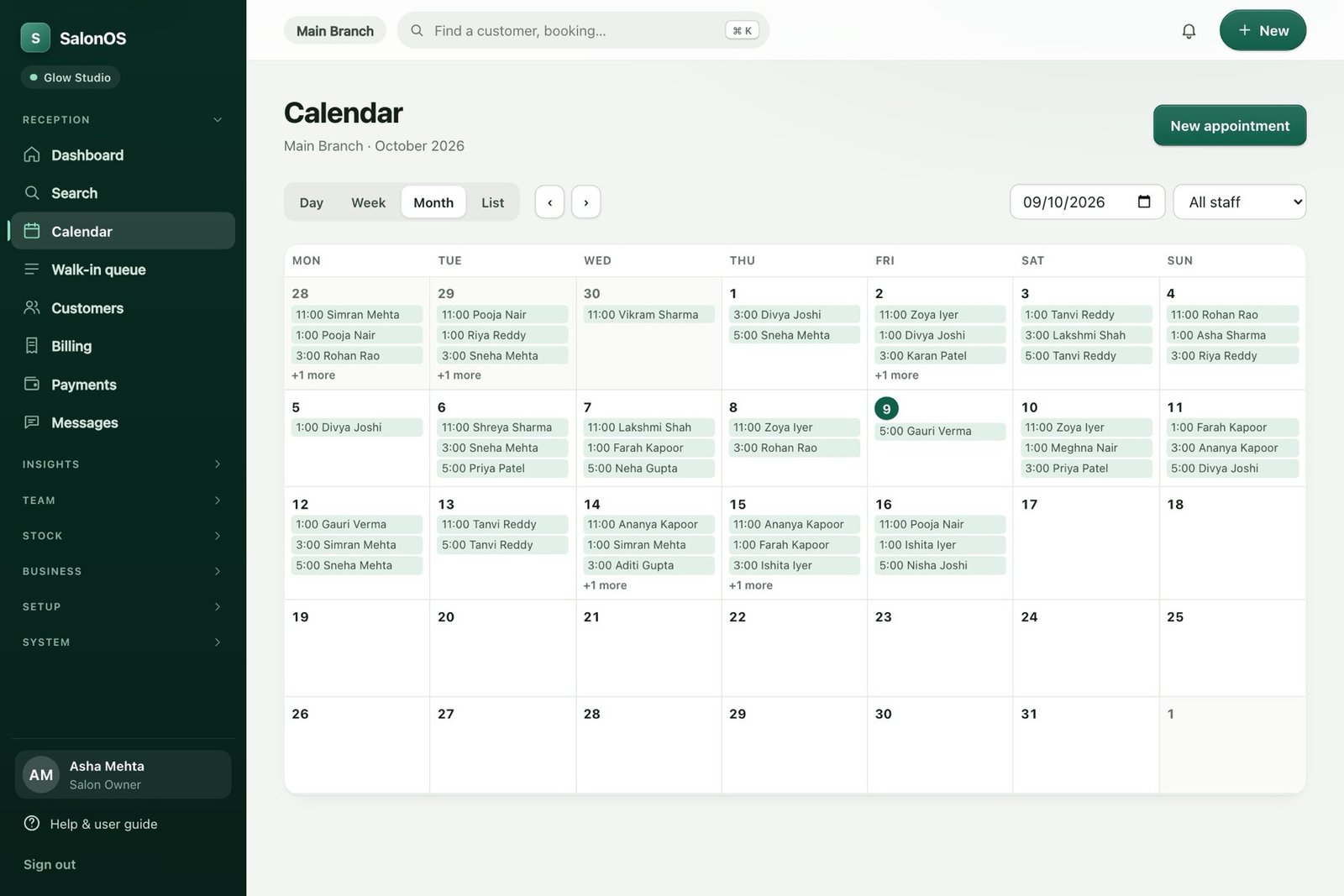
Day, week, month and list views, colour-coded by status, filtered by staff member. Add a walk-in or a phone booking in seconds, without losing the day’s shape.

  • Staff hours, breaks and time off respected
  • Services, durations and booking buffers
  • Customers can book themselves, online
More about the tools
The SalonOS calendar in month view with each day’s appointments, colour-coded by status.
Actual SalonOS screen with sample data.

Make the next visit feel remembered.

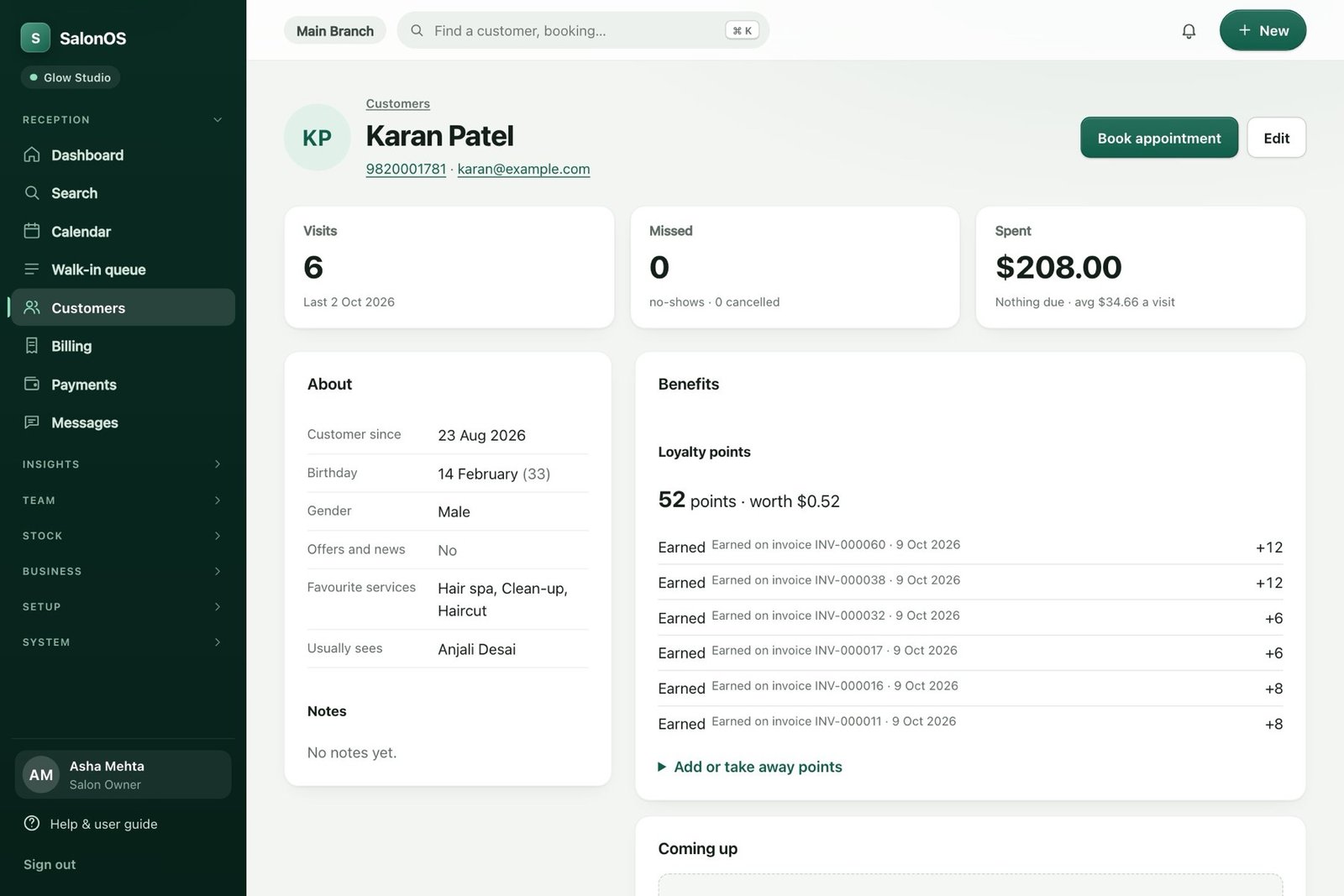
Visits, spend, no-shows, favourite services and who they usually see, before they sit down.

  • Notes, tags, documents and photos
  • Packages, memberships and loyalty points
  • Message history in one place
More about the tools
A SalonOS client profile showing visits, missed appointments, total spent and loyalty points with their history.
Actual SalonOS screen with sample data.

A checkout that does the sums.

Tax worked out the way your region needs it, payments recorded as they’re taken, and a receipt that goes to the customer in a tap.

  • Discounts, tips and split payments
  • Receipt by WhatsApp, email or private link
  • Refunds from the same invoice
More about the tools
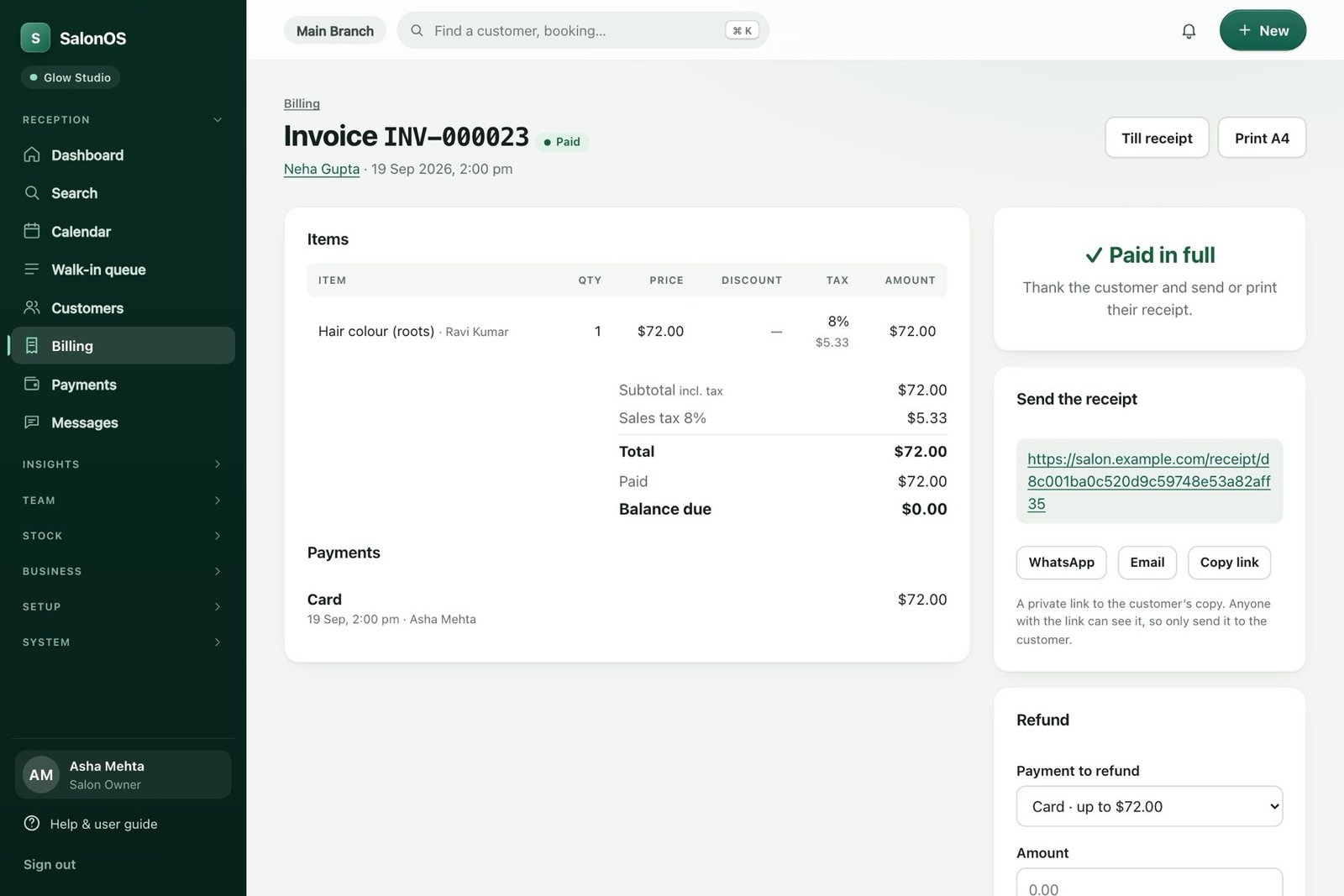
A paid SalonOS invoice with sales tax shown, the payment taken by card, and options to send the receipt.
Actual SalonOS screen with sample data.

A walk-in rush, calmly handled.

Numbered tickets, who is waiting, who is in service and for how long. Put the queue on a TV in the waiting area.

  • Preferred staff and estimated time
  • Waiting-area screen with queue numbers only
  • Move a ticket through its status in one tap
More about the tools
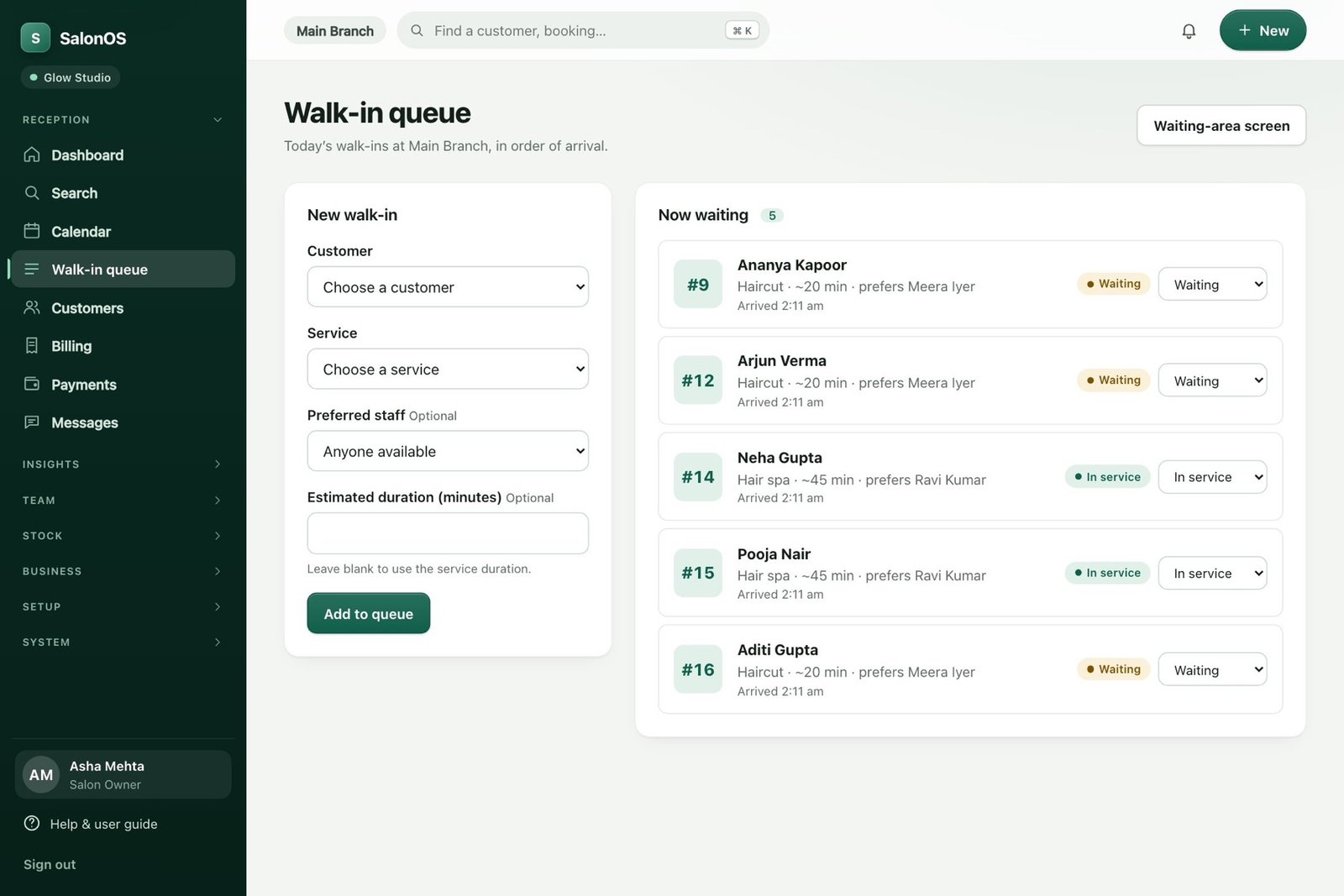
The SalonOS walk-in queue with numbered tickets, estimated durations and status for each waiting customer.
Actual SalonOS screen with sample data.

Know how the business is doing.

Sales by day, week or month against the period before, with the numbers your accountant asks for.

  • Staff, services, stock, tax and commission reports
  • Excel and CSV export, and print
  • Branch comparison for several locations
More about the tools
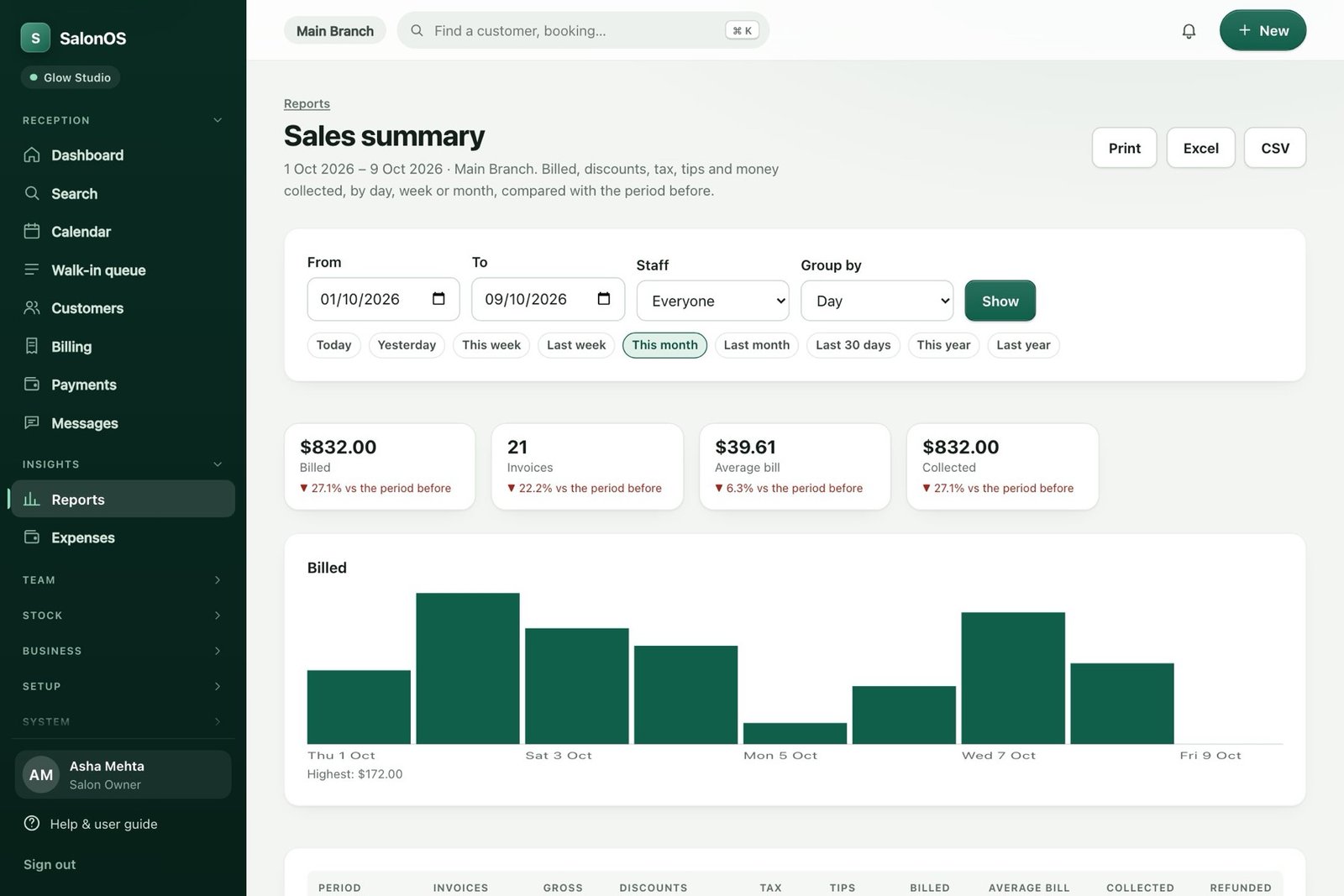
The SalonOS sales summary with billed, invoices, average bill and collected figures, and a bar chart by day.
Actual SalonOS screen with sample data.

In every pocket.

Customers book from their phone, with no app to install. Your team opens SalonOS on a phone or tablet at the desk or on the floor, and can add it to the home screen.

  • Online booking with services, stylist, date and time
  • Works as an installable app on phones and tablets
  • Deposits or full payment at booking, if you switch them on
Walk through a booking
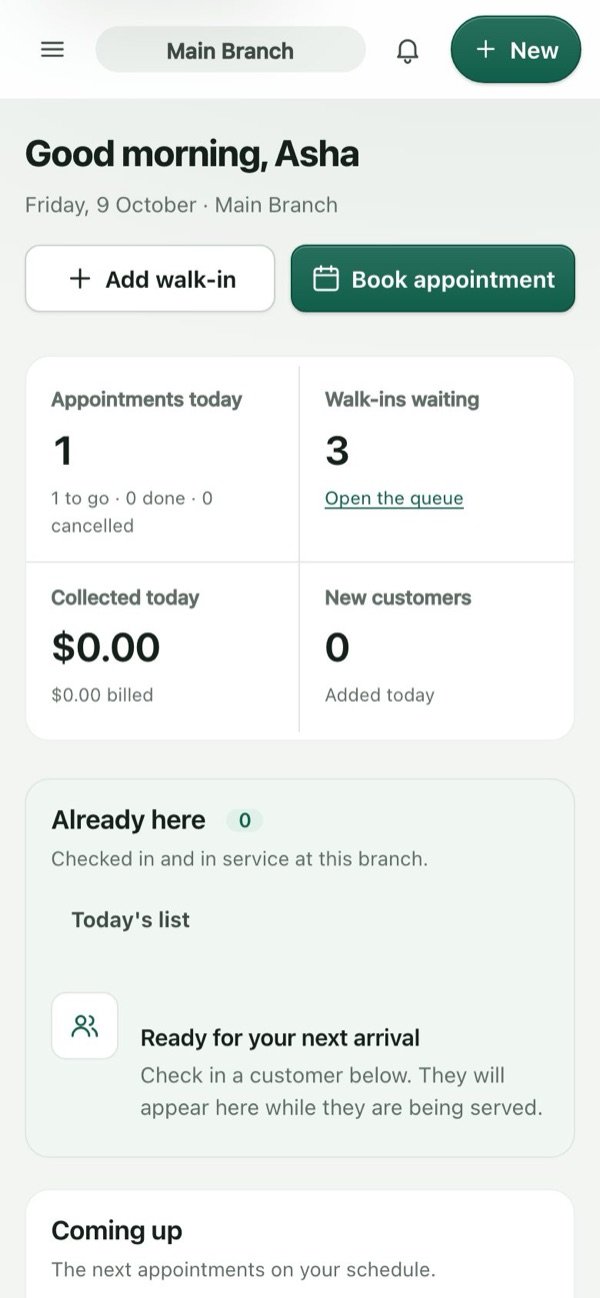
The online booking page on a phone, listing services with prices (sample salon).The SalonOS reception dashboard on a phone (sample data).
Actual SalonOS screens on a phone, with sample data.

One day in the salon.
Nothing dropped.

Follow a single client from the first click to the next visit. An illustrated walkthrough with sample data.

  1. She books online

    Neha picks a service, a stylist and a time that’s actually free. Your calendar updates itself.

    Facial · 60 minConfirmed
    with Meera · Sat 11:00 am
  2. A reminder goes out

    Email, SMS or WhatsApp, in the channel you’ve set up, with a record of what was sent.

    Hi Neha, a reminder of your facial tomorrow at 11:00 am at Glow Studio.

    WhatsAppEmailSMS
  3. She arrives

    Reception sees who is here and who is next, whether they booked or walked in.

    #14
    Neha GuptaChecked in · prefers Meera
    In service
  4. Her history is on screen

    Past visits, favourite services and notes, so the team picks up where it left off.

    6 visits$208 spent
    FacialHair spaPrefers Meera
  5. Checkout, done properly

    Taxes, discounts and the payment, then the receipt on her phone. Stock moves by itself.

    Facial$60.00
    Sales tax 8%incl.
    Paid by card$60.00
  6. The day closes itself

    Sales, payments, staff commission and low stock, ready to read, not to piece together.

  7. A reason to come back

    Loyalty points, a package or a birthday note. The next visit starts to book itself.

    52 pointsworth $0.52
    Facial package · 2 of 3 sessions left

Illustrated walkthrough using sample data. Messaging and payment provider charges are separate.

Different roles.
One clearer day.

The owner sees the business. The team sees the next client. The client sees an easier way to book.

Explore every module

Know what’s happening.
See what needs attention.

No more piecing the day together from a diary, a till and a dozen conversations. Review sales, payments and performance in one workspace.

  • See sales, payments and refunds in reports.
  • Review branch and staff performance.
  • Keep commission and customer history close.
See the bigger picture
Owner’s workspace Illustrative view
A clearer close of day
Sales & refundsReview
Payment methodsReconcile
Staff commissionsUnderstand

One place to ask better questions about your business.

Know your day.
Focus on your craft.

Give your team a clear schedule and the context to make each visit feel personal. The next step should be easy to find.

  • See appointments and useful service notes.
  • Track permitted performance and commission views.
  • Manage attendance and leave, by role.
Give the team a clearer schedule
Team schedule Sample appointments
Leena · Colour consultationReview notes before the visit
Maya · Cut & finish45 minutes · Confirmed
Lunch breakTime to reset

Book the visit.
Skip the phone tag.

Let clients choose a service, a staff member and an available time from their phone. A better experience starts before they arrive.

  • Mobile-friendly service and time selection.
  • Booking deposits when configured.
  • Reschedule or cancel within your rules.
Make booking feel easier
Your next little reset Booking illustration
Cut & finish

Choose the time that works for you.

10:00 am11:30 am2:00 pm

Illustrative times. Explore the demo for a sample journey.

Explore booking demo

From a busy diary
to a better-run business.

Six connected modules. Fewer loose ends. A salon that feels more together.

Compare plan features

Smart appointment booking

A diary your whole team can work from.

Keep the next appointment clear, even when the day changes.

Explore smart appointment booking

Automated reminders

Keep the appointment on their mind.

Turn a forgotten visit into a timely reminder, with delivery records your team can check.

Explore automated reminders

POS & inventory

A smoother checkout. A clearer stock picture.

Bring services, retail products and payments together, then keep an eye on what is running low.

Explore POS & inventory

Client profiles & history

Make the next visit feel remembered.

Give your team useful context before a customer sits down. Less asking again; more picking up where you left off.

Explore client profiles & history

Staff commissions & payouts

Clear earnings. Fewer payday questions.

See earned commission, refund reversals and recorded payouts together. Keep the conversation about earnings straightforward.

Explore staff commissions & payouts

Marketing & loyalty

Give the next visit a reason to happen.

Build thoughtful follow-ups around the customers you already know, with consent and plan controls.

Explore marketing & loyalty

Features depend on your plan and configuration. Messaging provider charges are separate. Commission tools record earnings and payouts; they do not replace statutory payroll.

Yours from day one.
On your own hosting.

There’s no new platform to learn or server to run. Upload SalonOS to ordinary web hosting and you’re running. Hosting is separate, and yours to choose.

  1. 1Choose a license

    Pay yearly, or once for life. Your key arrives by email.

  2. 2Download it

    A private link in your email and your account.

  3. 3Upload to your hosting

    PHP and MySQL hosting is enough: no Node, no Docker.

  4. 4Open the setup page

    Connect the database and create the owner account.

  5. 5Enter your key

    Add your services and team, and take your first booking.

Backups you control

Back up daily, weekly or monthly, download them, and restore with a click.

Your data walks out the door

Export every record to spreadsheets, and import it again into a new business.

Updates without the stress

One-click updates with a full backup first, or upload just the files that changed.

An empty chair
has a cost.

What could fewer missed appointments mean for your salon? Explore the potential booking revenue with your own numbers.

Reminders can help clients remember their visit. This tool shows an assumed improvement—you decide what’s realistic.

All amounts are in US dollars.

Adjust the assumptions
Potential recovered booking revenue / month$2,340

$28,080 over 12 months at the same assumptions

780 potential appointments / month78 assumed missed appointments39 assumed recovered appointments

Planning estimate, not a revenue guarantee or profit forecast. Excludes costs. Defaults are examples, not industry benchmarks.

Find the plan for my salon

Same salon.
A much clearer way to run it.

Less chasing the details. More knowing what happens next.

Follow a sample appointment
How SalonOS brings the customer journey together
The momentThe old wayThe SalonOS way
BookingMissed calls and handwritten diary entries.Configured online booking and a shared calendar.
Arrival“Who’s next?” and a walk-in notebook.Arrivals, the next appointment and the walk-in queue.
ServiceAsking the same questions every visit.Customer history and notes your team can refer to.
CheckoutService totals here. Stock counts somewhere else.Connected billing, payment records and stock movements.
Next visitFollow-ups waiting on a sticky note.Configured reminders, campaigns and loyalty tools.

The diary you know.
The day you want.

Drag the handle to see the difference between a paper diary and a salon day run on SalonOS.

The SalonOS reception dashboard with appointments, walk-ins and the next arrivals (sample data).
MonTueWedThuFriSat10 Neha?Priya 11:30Rohan 12Facial ??Aditi 3pmAditi 3:30Color - who?Walk-ins!!Meera off?call back x3Owe stockwho’s next??stock count?
The old wayWith SalonOS

Left: an illustration of a paper diary. Right: an actual SalonOS screen with sample data.

Better days start
with clearer workflows.

Three ways to put SalonOS to work. Illustrative scenarios, rather than customer testimonials.

The growing neighbourhood salon

The owner is also behind the chair.

Before
Bookings and customer notes are scattered between a diary and messages.
What changes
A shared calendar, client profiles and sales reports give the owner a place to check the day.
The practical payoff
More context before the visit. Less piecing things together after closing.

The busy reception desk

Appointments meet a walk-in rush.

Before
The team keeps interrupting reception to find out who is here and who is next.
What changes
The arrivals dashboard and walk-in queue put the next step in view.
The practical payoff
A clearer handover from welcome to service, even when the door keeps opening.

The owner with several branches

The business outgrows one diary.

Before
Branch records and staff performance are harder to compare consistently.
What changes
Branch controls, reports and commission records bring permitted views into one workspace.
The practical payoff
A better starting point for decisions about people, stock and the next branch.

Good questions.
Clear answers.

Choosing your salon’s system is a real decision. Let’s make it an informed one.

Ask us about my salon
How long does setup take?

Setup depends on your hosting, database and salon configuration. You’ll configure services, staff, hours and booking rules before opening bookings. Talk to us about your installation so we can confirm the work involved.

Can I bring my existing customer data?

Contact us with your current system and the formats you can export. We’ll confirm what can be transferred and what preparation is needed before you buy. A one-click migration from every provider is not available.

Will my team need technical skills?

Day-to-day work happens in a browser on a computer, tablet or phone. Staff see tools allowed by their role, branch and plan. Installation requires compatible web hosting and a database.

Am I locked into a recurring contract?

You buy the license period shown at checkout. Review the price, period and renewal options before paying. Hosting and third-party services are separate. Your customer account lets you manage your license and available plan changes.

What happens when my license expires?

A valid paid license is required. Expiry blocks business access, including viewing, exports and backups; it does not delete stored data. Renew your license or contact us to restore access. The interactive website demo does not activate an installation.

Your next busy day is coming.
Be ready for it.

Give your team a clearer day—and yourself more room to grow.